Providers
A provider is an entity that contributes storage resources to a Onedata ecosystem. Institutions, companies, data centers, data repositories, or even individual users can become a Onedata provider by performing below steps:
- installing the Oneprovider software on their servers,
- registering it with a chosen Onezone service (the coordinator component of a Onedata ecosystem),
- connecting their storage backends,
- supporting Onedata spaces by assigning resources on the storage backends to back the spaces up with storage quota.
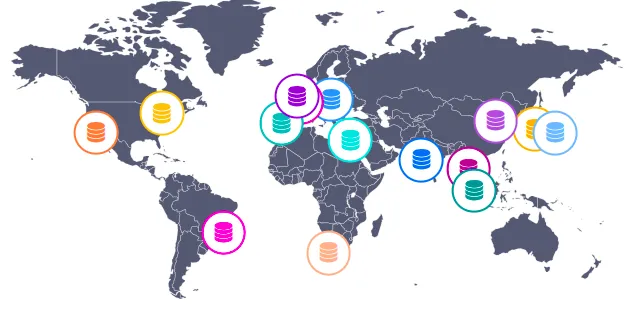
Oneprovider acts as a key component in the system by:
-
Supporting virtual spaces, by committing storage resources to host their data.
-
Managing physical data stored on local storage backends (e.g., POSIX, NFS, S3, Ceph).
-
Synchronizing metadata with other providers in a peer-to-peer (P2P) fashion, ensuring consistent views of data across geographically distributed sites.
-
Handling data access requests from users or groups, enabling unified and transparent access to distributed data.
-
Providing high-level data management operations, such as Transfers, QoS, Datasets, or Archives.
For more information on providers from an administrative perspective, see the Oneprovider administration guide.
Data access
Providers are responsible for supporting spaces — virtual directories or volumes capable of storing complex file and folder hierarchies. Although these spaces appear unified to the user, the actual data is physically stored across various storage systems managed by different providers.
The diagram below illustrates user access models to spaces within the system. User A has access to only one space, which is supported by a single provider. In contrast, user B has access to two spaces — one of which is supported by two independent providers, offering increased redundancy and flexibility, while the other is supported by just one provider. User B’s access to these spaces is granted through membership in a group. This example highlights the diversity of access models and infrastructural support that can exist across users and spaces within the system.
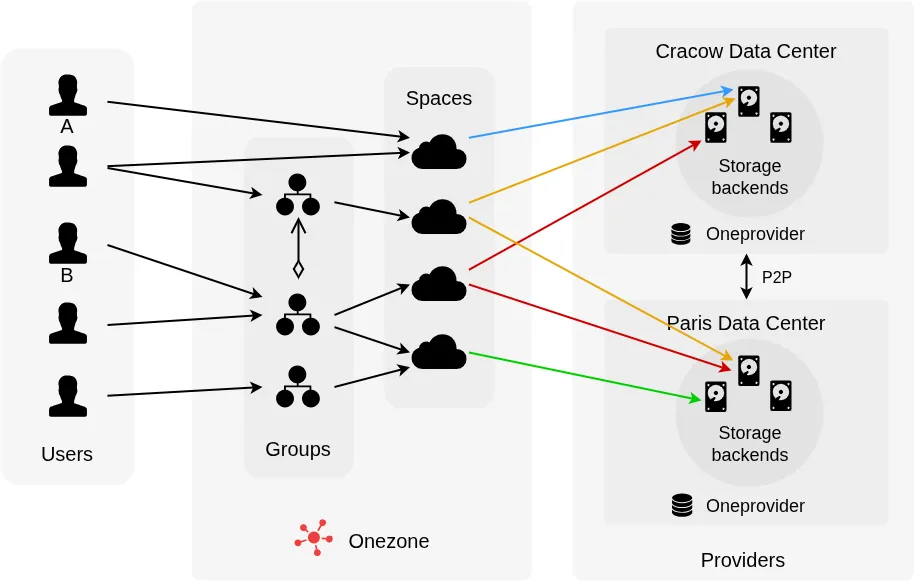
Providers often reflect the organizational affiliation of users. For instance, an institution or department may operate its own provider to support collaborative workspaces. In federated environments, multiple providers from different organizations can jointly support the same space, enabling cross-institutional collaboration.
Once a provider supports a space that you are a member of, the space becomes visible in the Onezone interface, where you can access the data and manage the space. For a guide on how to request provider support for your space, see: requesting space support.
Other services
A provider in Onedata can integrate with auxiliary services like OpenFaaS and LUMA to extend its capabilities. OpenFaaS enables serverless execution of user-defined workflows directly on data stored in supported spaces, using either the mounted POSIX virtual filesystem (via Oneclient) or Onedata’s REST, CDMI, and S3 APIs. This allows for flexible, containerized processing such as data transformation or metadata enrichment. LUMA (Local User Mapping Authority) manages mappings between Onedata users and local credentials (e.g., POSIX UID/GID, Ceph, GlusterFS), ensuring correct identity translation and access control across heterogeneous storage backends.
GUI guide
Provider information
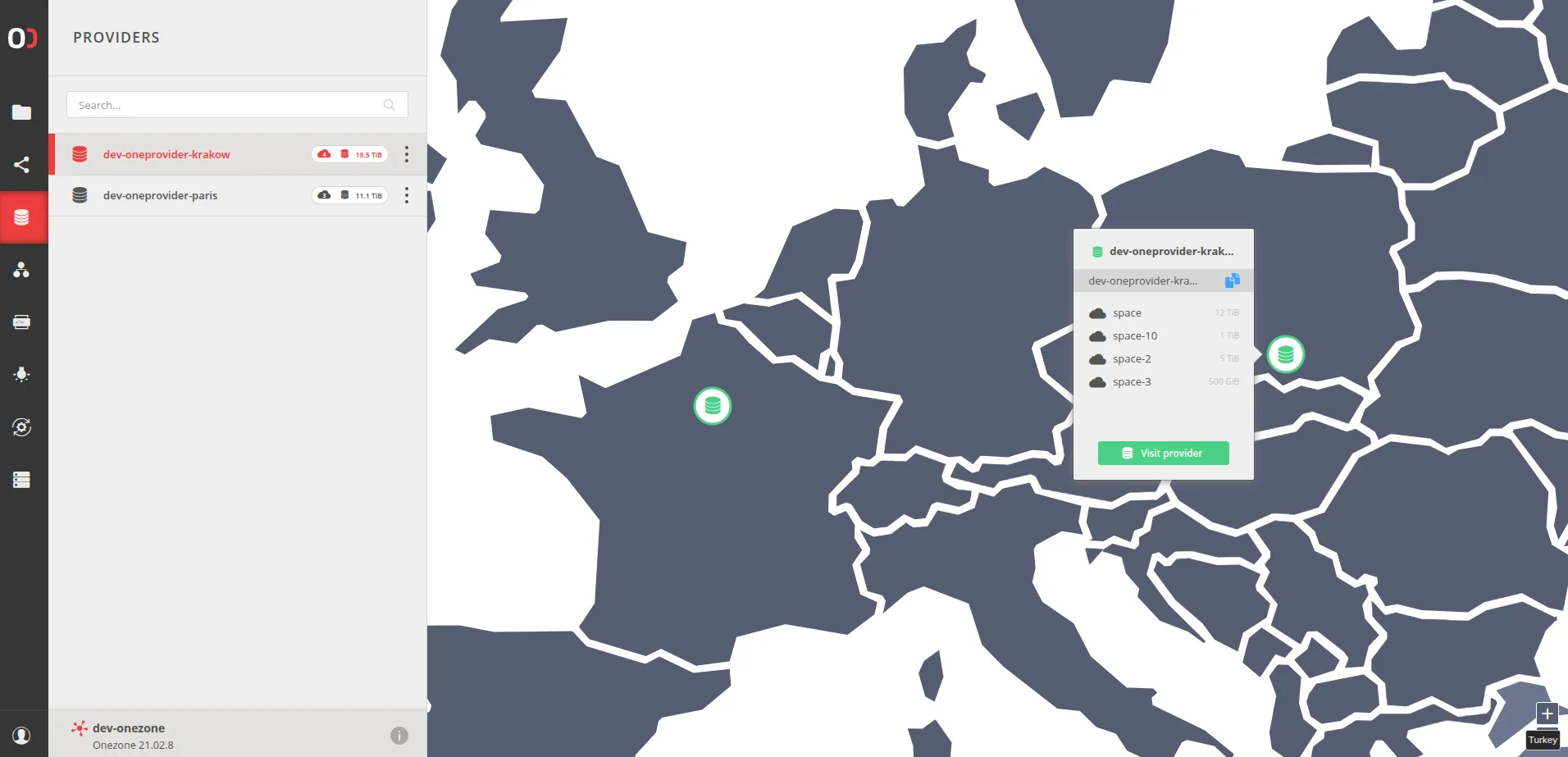
In the Providers tab, you can view detailed information about each provider, including the number of spaces it supports, its online status, and the total amount of storage it allocates to spaces. By clicking a provider’s icon on the map, you can see a breakdown of the specific spaces it supports and the amount of storage committed to each.
Provider domain
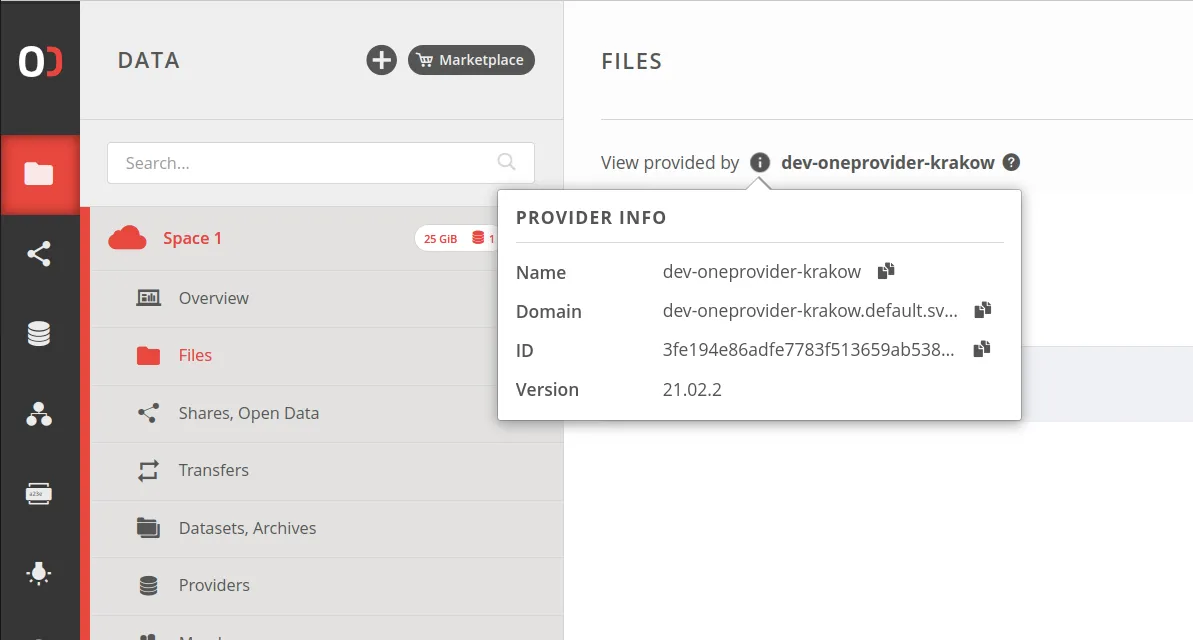
Provider’s domain is required to mount a Oneclient instance or utilize the REST and CDMI APIs. It can be found in the Web GUI:
Providers supporting the space
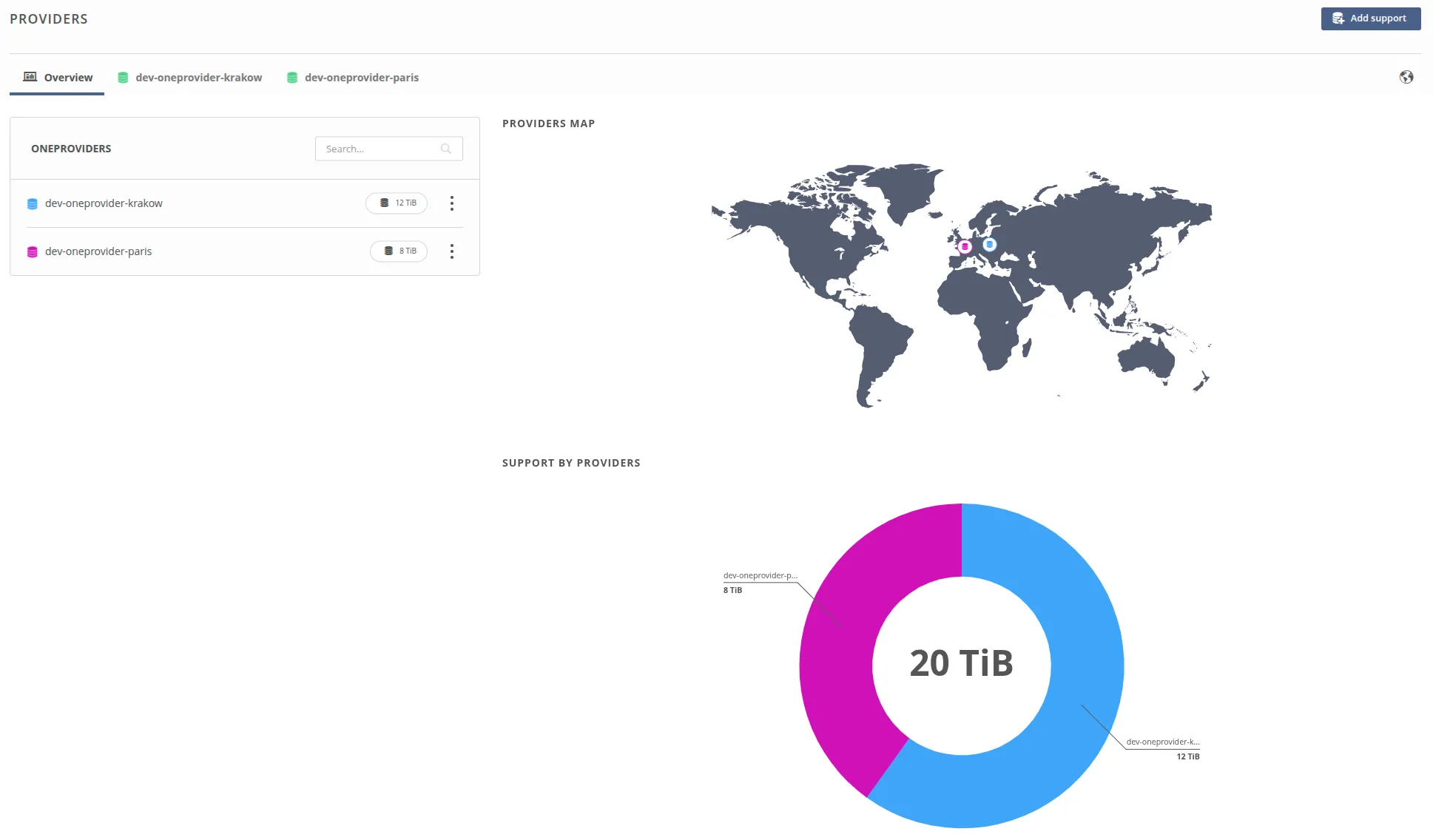
Click the PROVIDERS tile, the PROVIDERS MAP tile on the space overview page, or the Providers tab in the sidebar. Here, you can view detailed information about which providers support your space and how much storage they allocate.
Providers settings
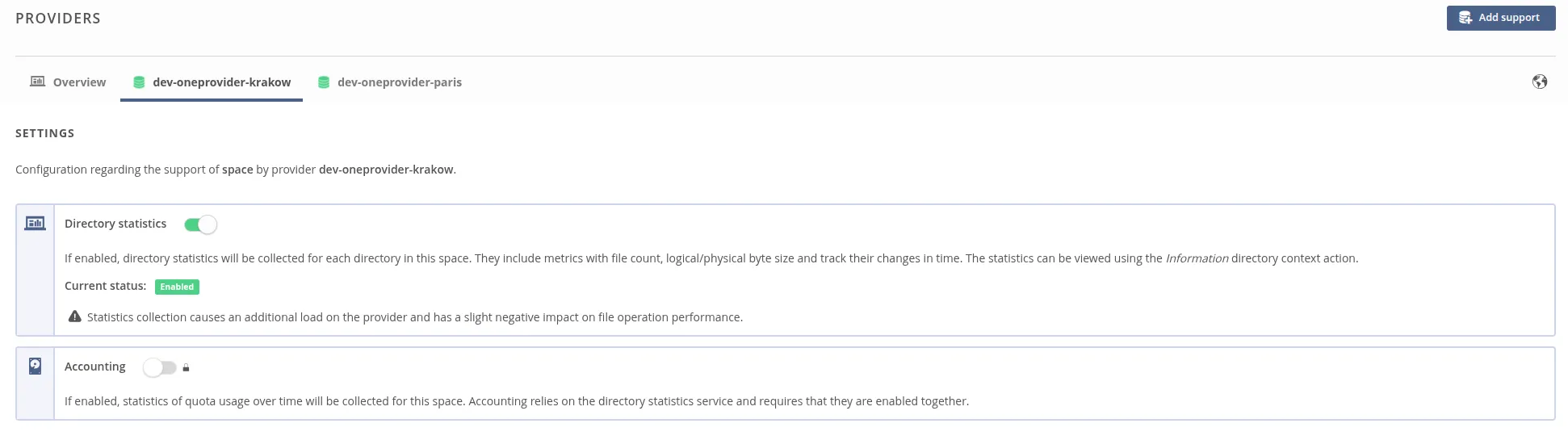
Go to the Providers submenu in your space and select a provider from the tabs. On this page, you can configure directory statistics and accounting settings. For more details see Directory statistics.
REST API
All operations available through the GUI can also be performed using the REST API or the CDMI API. Additional documentation can be found in the REST API guide.