Size statistics
This guide is dedicated to non-admin users that would like to understand and interpret file and directory size statistics in a space. Consider reading the counterpart documentation for admins.
In distributed environments, the concept of size may vary depending on whether we refer to the logical view of data, its physical storage footprint, or its deduplicated representation. Onedata distinguishes between these size types to accurately reflect how data is stored, replicated, and accessed across providers. Understanding these differences is important when monitoring storage usage, planning capacity, or analyzing replication completeness.
Regular files
logical_size— total number of bytes in the file content, from the point of view of the Onedata logical namespace. Independent of the file’s distribution or replication.physical_size— actual amount of storage consumed to store the file on a given storage backend. May be smaller than the logical size if the file replica is incomplete.
Directories
logical_size— total size of file data contained in the directory, i.e. the sum of logical sizes of all regular files in its subtree. If a file has multiple hard links in the subtree, each hard link is counted separately.virtual_size— deduplicated logical size, where hard links of the same file in the subtree are counted only once. Represents the storage space required for a complete replica of the directory.physical_size— actual amount of storage consumed on a given storage backend by all regular files in the directory’s subtree. May be smaller than the virtual size if some file replicas are incomplete.
Directory size statistics
When the collecting of directory size statistics has been enabled by a Oneprovider admin or space manager, they are collected for each directory in a space.
Directory size statistics are not calculated instantly. Instead, they are updated in the background, beginning with the deepest subdirectories and then moving up step by step until the space root directory is updated.
Directory size statistics are updated gradually, with results propagated up to the space root directory. In actively used spaces, this may cause temporary discrepancies in the reported values.
Different types of statistics can be accessed for a directory, such as its virtual, logical and physical size as well as count of regular files and directories in its subtree.
Directory size statistics must be enabled to provide aggregated information about directories. They are also required for features such as viewing directory data distribution.
Web GUI
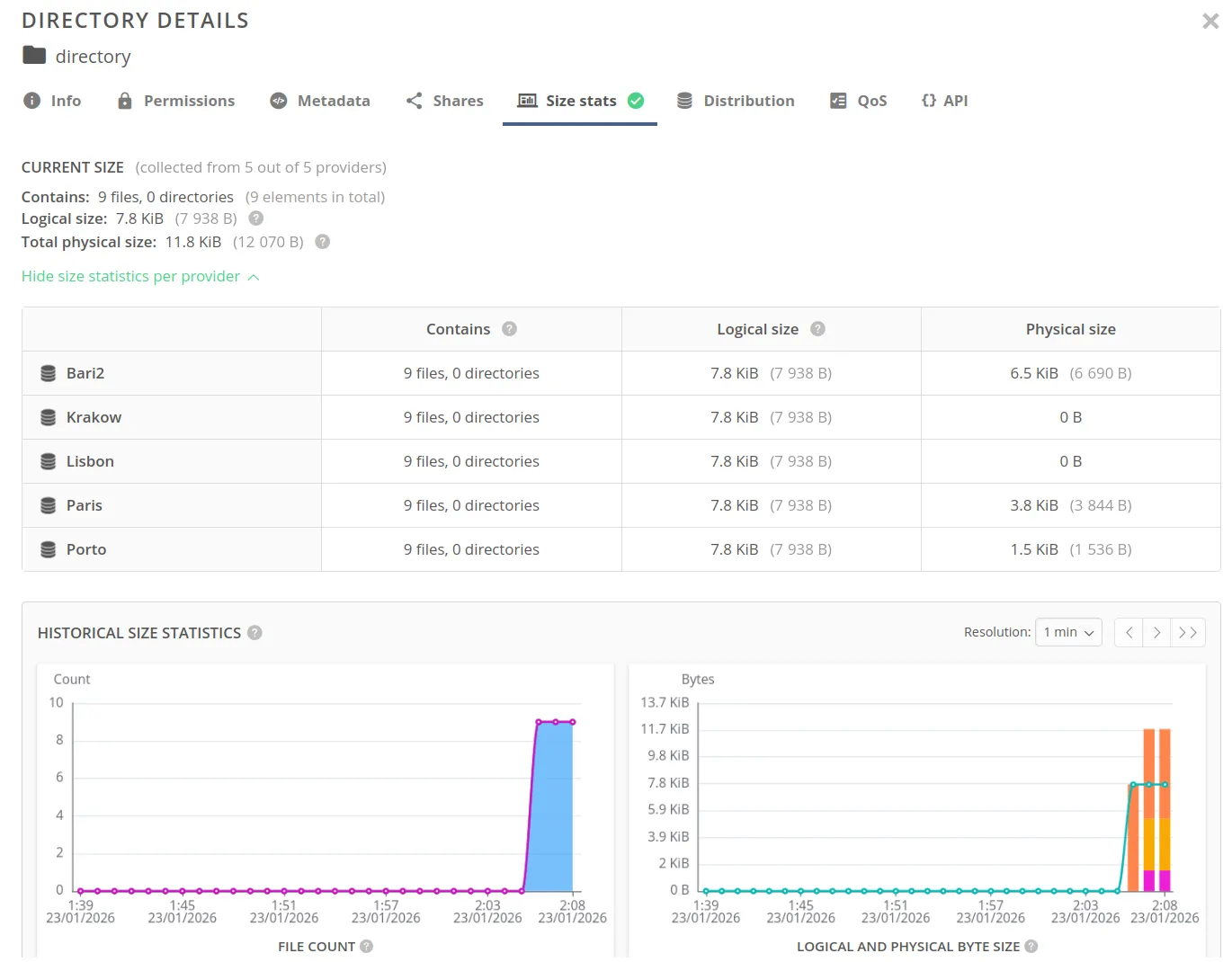
Open the context menu for the file and choose Information and then in Size stats tab you will see directory size statistics on all providers supporting a space, as well charts with its changes over time:
REST API
Directory size statistics can be accessed using the REST API. Refer to the linked API documentation for detailed information and examples.
| Request | Link to API |
|---|---|
| Get directory size statistics | API |
Only statistics local to a provider can be accessed via REST, so you won’t see physical size on storage backends of other providers.
Complexities of size calculation
Directory size statistics in Onedata are designed to reflect a distributed and eventually consistent storage system. As a result, the reported values may not always be intuitive and can vary depending on several factors:
Asynchronous updates
Directory size statistics are calculated in the background and propagated from leaf directories up to the space root. This means that:
- recently modified data may not be immediately reflected in parent directories,
- temporary inconsistencies may appear during ongoing updates,
- values converge over time rather than being updated atomically.
Provider-specific perspectives
Size values are calculated from the perspective of a given provider. Therefore:
- different providers may report different values for the same directory,
- discrepancies may occur when replicas are incomplete or not yet synchronized.
Inclusion of special data (space root only)
For the space root directory, size statistics additionally include:
- data stored in archives,
- files located in the trash,
- files that have been deleted but are still open by users.
This can lead to situations where the reported size includes data that is not visible in the regular directory structure.
You can switch between those statistics in a size stats modal for a space directory:
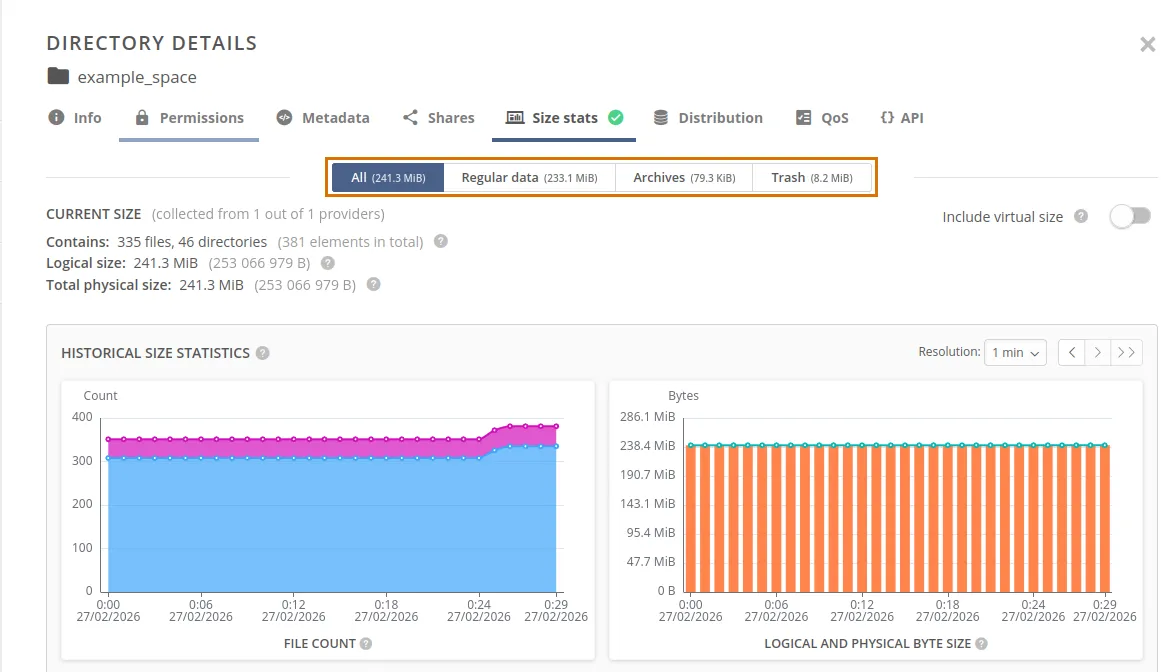
Due to the distributed and asynchronous nature of the system, size statistics should be treated as eventually consistent and may temporarily differ between providers.
Enabling directory size statistics as space manager
In navigation bar go to Data, then select a space you want to modify and click on
Providers.
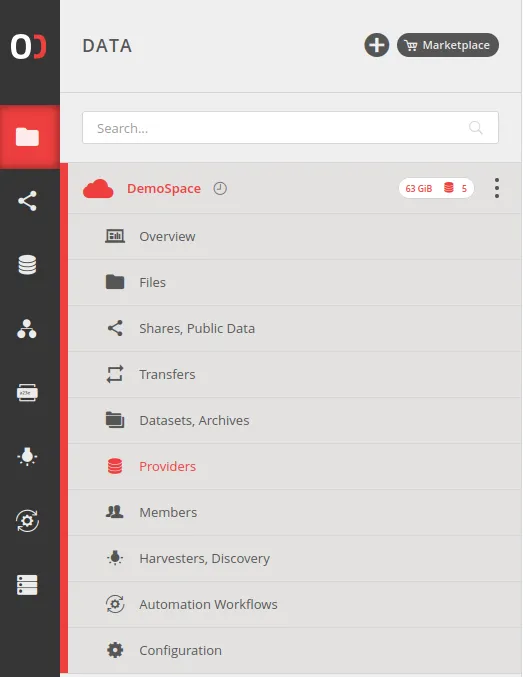
In top row select a provider on which you want to make a modification. There you can enable/disable directory size statistics for a selected space.
To enable/disable directory size statistics for a space, you need the Modify space
privilege in that space.
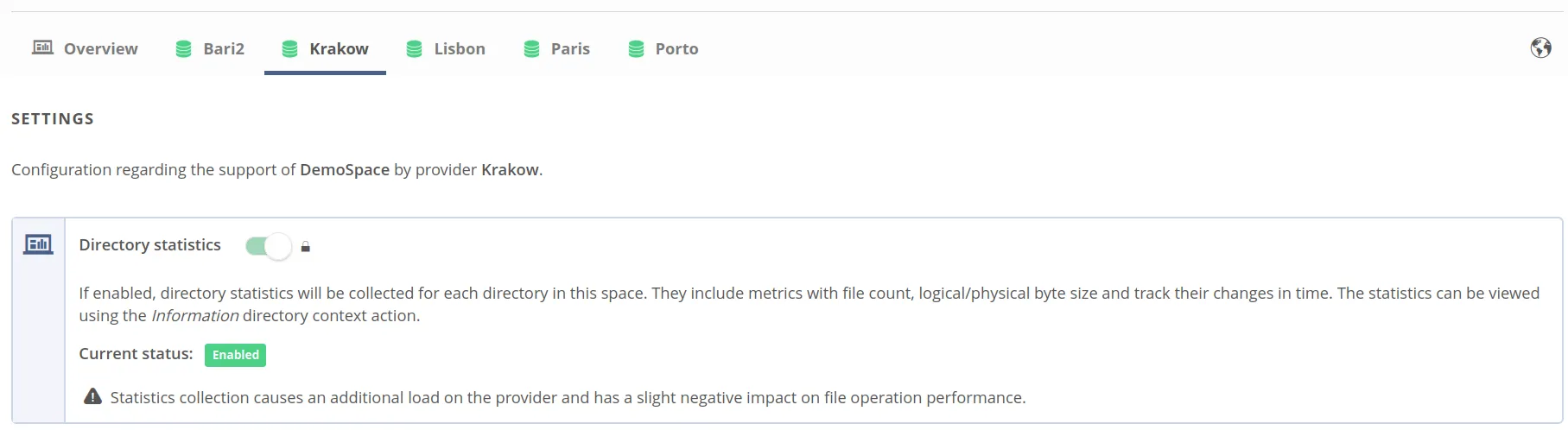
This method is not available when accounting has been enabled in this space by Oneprovider admin.