Overview
Collaborative data sharing
Collaborative data sharing is a core feature of Onedata. It is built around spaces, which provide shared work environments where users from different organizations can collaborate on common data resources. Access to spaces is managed through groups, which can represent organizational hierarchies or Virtual Organizations (VOs) that bring together users from multiple organizations to enable collaboration beyond traditional administrative boundaries. Spaces provide a logical abstraction over the physical location of data stored by multiple providers on heterogeneous storage backends.
This approach makes it possible to:
- share data between users across organizational and administrative boundaries,
- support a wide range of applications involving geographically distributed data,
- combine data from different storage systems under one consistent namespace,
- enable data copies and movement across geographically distributed locations through replication and managed transfers between providers,
- allow distributed data to be processed in parallel across multiple locations.
Access to resources
Access to resources in Onedata is based on user memberships. These memberships define the set of resources available to a user and which operations are permitted. The graphical user interface (GUI) reflects these rules by showing only the resources available to a given user, as described in the sections below.
Basic GUI navigation
In the main view you can see the navigation bar containing primary tabs which allow you to interact with the most important areas of the system. There, you can access resources available to you or create your own. You can switch between the main tabs using the collapsible sidebar on the left side of the page.
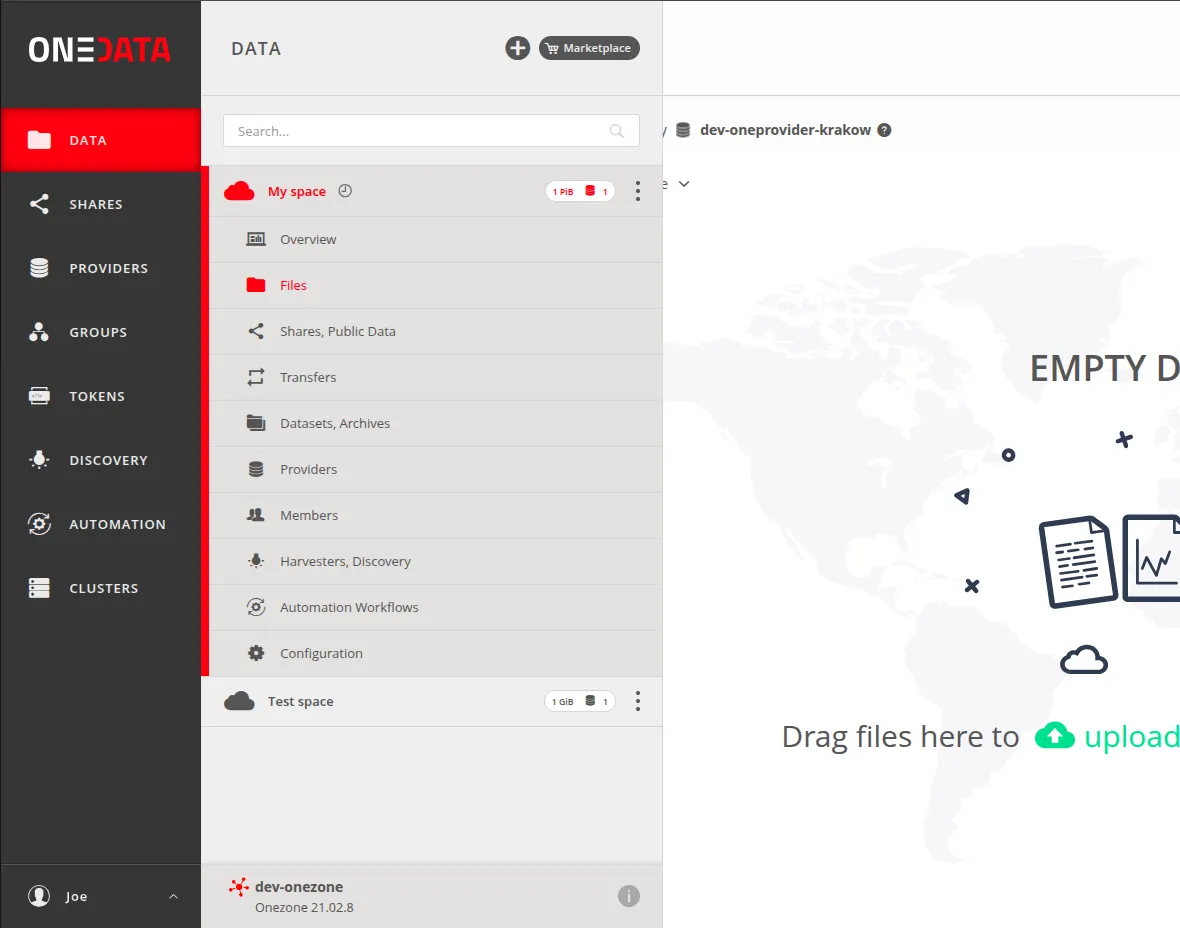
Basic functionalities
| Tab | Description |
|---|---|
| Data | Access and manage the spaces you belong to, create new ones, organize data, and perform file operations. |
| Shares | View and manage shared files from spaces you have access to. |
| Providers | View providers supporting your spaces. |
| Groups | View and manage the groups you are a member of. |
Advanced functionalities
| Tab | Description |
|---|---|
| Tokens | Create and manage tokens used for authorization. |
| Discovery | Explore metadata indexing and perform advanced searches across files. |
| Automation | Define and edit workflows (data processing pipelines). |
| Clusters | Manage the Onezone and Oneprovider deployments that you are an admin of. |